

A free open-source office suite for PC
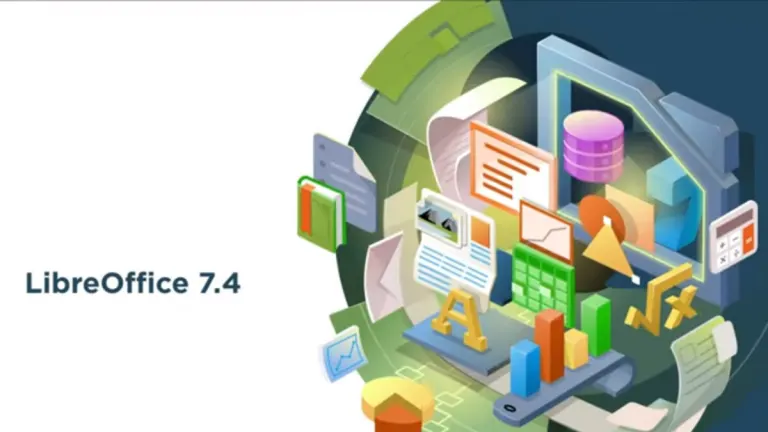
LibreOffice is a free office suite for Windows operating systems developed by The Document Foundation. A utilitarian and open-source software, LibreOffice offers a feature-rich, free alternative to Microsoft Office. The suite includes a wide variety of standard tools. Included is software for word processing, spreadsheets, slideshow creation, a vector-drawing program, and even an editor for math formulae.
Originally based on OpenOffice.org, LibreOffice has since risen to the most actively developed OpenOffice.org successor project. As a free and open source software, anybody can make use of this collection of apps. Whether on Windows, macOS, or Linux, LibreOffice has an invaluable suite of programs for presenting and organizing. It can also be used for writing, akin to Google Docs or Microsoft Word documents.
Write, present, organize, and create
Released as an open-source office suite back in 2011, LibreOffice was derived from another productivity suite called OpenOffice, which was, itself, a product of StarOffice. Similar to the goals of both its predecessors, LibreOffice is intended to be a close replica of Office Suite. In many ways, it meets the bar, and in a few ways, it even exceeds it.
For people coming from a background with Microsoft Office 2021 or Microsoft 365 on Windows, this latest version of LibreOffice will be comparably familiar. You can use LibreOffice’s Write app to type documents. It has a user interface and keyboard shortcuts that few could discern from a paid product. You can then elect to export your written files into a wide variety of formats, such as .docx, .xlsx, and .pdf.
All programs under the LibreOffice banner recognize and support practically any file extension available, ensuring your work is readable and sendable over the internet.
- LibreOffice Write is one of several programs that make up the entirety of LibreOffice as a whole.
- LibreOffice Calc is another component of the suite, and serves to emulate the spreadsheet program, Microsoft Excel.
- LibreOffice Impress is the LibreOffice counterpart to PowerPoint.
This compatibility is one of the biggest advantages of using LibreOffice. Issues often arise when revisiting old documents made decades ago, as word processors and spreadsheets obsolete themselves with age and newer versions. If you work in an office, school, or a setting that relies on legacy documents, LibreOffice can be a crucial means of maintaining file integrity.
In another effort of making their product similar to other business and productivity suites, LibreOffice on Windows also utilizes the same keyboard command shortcuts. If you’re uncertain which keystroke is used, it’s likely the same as what you’d use in Microsoft Word or PowerPoint. Alt+equal sign, for example, is the ‘autosum’ function in LibreOffice’s Excel clone, Calc.
As a spreadsheet tool, Calc is one of the programs in the LibreOffice suite that may surpass MS Excel. It’s every bit as intuitive and convenient as Excel, but is clearer when displaying its functions. It makes use of a clearer outline form in general. It also suffers from less lag than Google Spreadsheets and doesn’t require you to be signed in to your Google account to edit.
LibreOffice vs Microsoft Office
For all its good qualities, there are some negative aspects to using LibreOffice as well. Most of these become apparent when it’s compared to Microsoft Office 2021 on Windows. First and foremost, LibreOffice has no collaboration tools or features. This may make it less desirable when choosing a suite to run for a whole company. While its performance is decent, it does overall lag behind Microsoft Office. It can quickly become overtaxed and run slower as a result.
While LibreOffice does support the vast majority of file formats you’ll come across, files imported from other office suites may not migrate correctly. Additionally, when compared, ‘Calc’ and ‘Impress’ do appear to be less polished iterations of Excel and Outlook. Still, if you’re coming from a background in Microsoft Office and want something you can quickly acclimatize to, LibreOffice is a good bet.
A reliable alternative to Microsoft Office
The main audience for LibreOffice is Windows users looking for a free alternative to Microsoft Office. As such, LibreOffice functions accordingly similar. It enables users to choose different visual styles, such as a more traditional row of icons and toolbars. NotebookBar, another tool in the LibreOffice suite, is comparable to the ribbon-style menu of Microsoft Office. This more mirrored approach is an effective way to placate Office users wary of making the transition.
The similarities between the two suites were intentional from the start, and it’s apparent in nearly every aspect of LibreOffice. Microsoft Office users will be able to adjust quickly, as most features in its respective programs are familiar. Those that aren’t are accessible and explained at a glance through the help of hover tips and duplicate iconography.














.svg.png)
_250x250.png)









User reviews about LibreOffice
by Rose Guerra
I love this program, it is great and free.I went to some computer classes and they taught us to use this program, I was impressed to I want to use it now. More
by Wesley Evers
so a nice machine ;-)
by Carolyn Ploof
I like all the features the features that LibreOffice has and is easy to use. I haven't found any problems with this app. I would recommend this app to anyone who asks me about it. More
by Anonymous
Great!.
Best open source alternative to MS Office. Easy to install and has some nice customization options.
Pros: Customization
It's free
Cons:
Not very popular
Has small bugs More
by Anonymous
My Absolute Favorite office Suite.
Pros
* Feature-Packed
* Fast & 'light-weight'
* Secure
* Few minutes & a few clicks to install
* High degree of Customization (can change skin/theme, background colors)
* FREE & all updates & upgrades for life
* Giants like AMD, Intel, IBM, Red Hat, Canonical, Google, etc contribute to it
* Constantly getting better
* Easy PDF Export
* World-wide presence (languages, online support community)
* I find it better (more value) than MS Office
* Integrates well with Dragon Assistant (Voice Dictation)Cons
* Very poor marketing because so many people haven't even heard of it & that's a shame because they are missing out on a great product & the altruistic philosophy of FOSSSummary
Totally worth your time.
Will 'repay' your effort & time spent installing in weeks, I think.
Needs our support (Word-of -Mouth &/or donations)
Pros:
Custamizable
Auto-complete a whole Paragraph with just an alphabet letter
Cross-Platform (Versatile because it runs on Windows, Mac & Linux)
Cons:
Poor marketing
Need more 3D, colorful & glossy icons More
by Anonymous
Preferable to MS Office in some respects. And amazingly its FREE !.
I prefer it to MS Office, especially as it comes without the dreadful ribbon. Text is easier to use than Word and just as stable. The same applies to Calc, except in respect of its graphic functions, which require more development. Impress is not as good a program as Powerpoint. It runs more slowly, and is less stable and less compatible. Libreoffice is impressive for its ability to translate files produced using the various versions of Word. Its actually more reliable in this respect than the different versions of Word. This is a huge plus, as is the fact that LibreOffice has versions for Windows, MacOS, G4 Powermacs and for Linux. If you are using the same documents with more than one system, then LibreOffice is a must. The same applies of you are having to use Word and Excel documents that are produced by different editions of MS Office. For most of the time, LibreOffice does everything I want, is free, and has regular upgradesIts a great achievement.
Pros:
Excellent word processor. I much prefer it to Word.
No dreadful Ribbons (as in later versions of Office)
Excellent compatibility when importing files from different versions of Office, which it handles better than do the different versions of Office
It can export files in PDF format.
Regularly updated
Reasonably fast and stable
Available on different platforms
Very compact file sizes. Openoffice files typically take one-third of the disc space of MS Office files
Its FREE
Cons:
Slow startup time for first screen (but fast thereafter).
Graphics in CALC are not easy to use or as good as Graphics for Excel
Impress is not nearly such a good program as Outlook.
Database is difficult to use, as is Access in MS Office. Instead of basing the database program on Access, why not base it on Filemaker? This would make it much more useful. More